Guide
Why Gmail's Spam Filter Can't Keep Your Inbox Clean
 JG
JG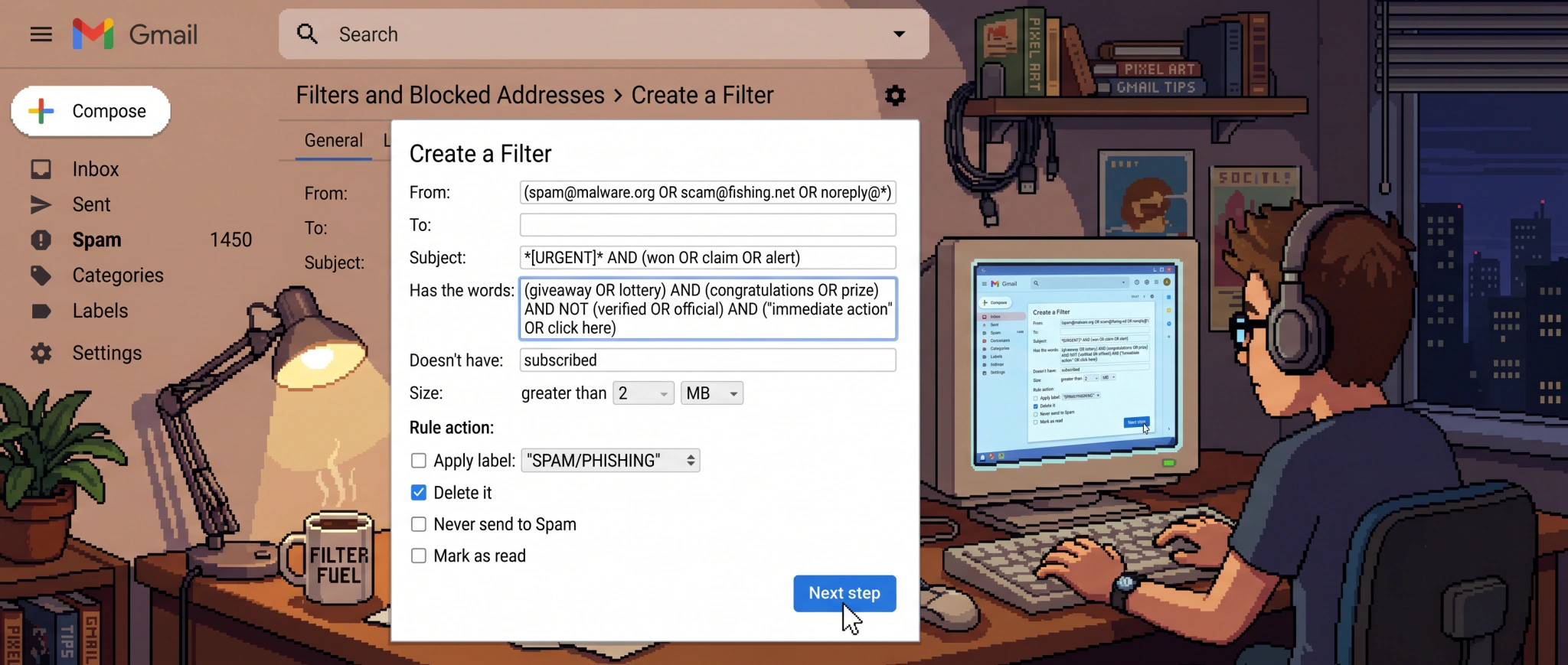
Open Gmail on an ordinary Tuesday and the picture is familiar: junk that slipped past the filters, newsletters you never knowingly signed up for, cold pitches from strangers, and somewhere in the pile, the two or three messages that really mattered. For a lot of people this isn't a bad week or a one-off glitch. It has been the normal state of things for years.
It's a widely shared complaint. Spend a few minutes in /r/GMail, /r/productivity, or /r/sysadmin and the same one surfaces over and over: the sense that email is still a mess in 2026, inboxes eating people's time and sanity, and enough frustration that some are abandoning Gmail entirely to get away from it. There are spikes on top of the grind, like floods of spam after years of a fine inbox, or twenty-plus a day overnight, but those spikes sit on top of a steadier problem: Gmail's defenses were never built for the inbox most people actually have.
And it's trending the wrong way. As automation drives the cost of sending toward zero, even people who build viral consumer apps for a living are bracing for the bottom to fall out:
This guide covers how Gmail's filtering works, the specific places it breaks, and what to do about the cases it was never built to handle. Two of those cases get extra attention here, because Gmail handles them especially badly: the misdirected mail that piles up on common addresses, and the cold-inbound overload that buries executives, investors, and founders.
How Gmail filtering actually works
It helps to know that "Gmail filtering" is really three separate systems, and people blame the wrong one constantly.
1. The spam classifier. This is the automatic engine that decides whether a message is spam and routes it to the Spam folder. You don't configure it; Google does, weighing sender reputation, authentication, content patterns, and how people like you react to similar mail. It works remarkably well for what it is, but it runs at a scale that caps how good it can ever be for any one person. Google operates this single system for roughly 1.8 billion mailboxes, almost all of them free. A free service that size can't spend much computing power per message or train a separate model for each user, so it is tuned for the median inbox and optimized for the global average rather than for you. It also has to play it safe: block too aggressively across a billion accounts and you bury real mail, so the classifier leans toward letting borderline messages through. That tradeoff is sensible for Google and frustrating for you, and it explains a lot of what still reaches your inbox. On an off day, a quiet reputation shift on a sender you used to hear from lets more junk leak in, and sometimes lands legitimate mail in Spam instead.
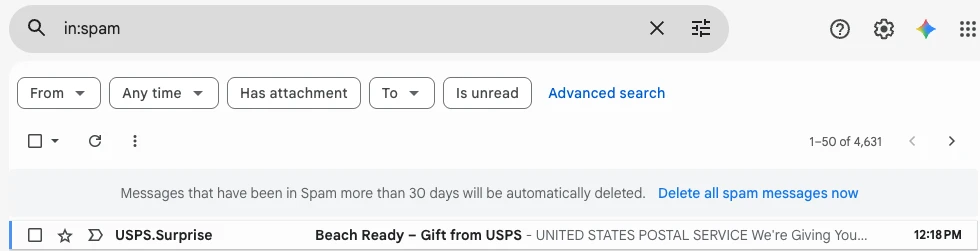
2. Inbox categories (Promotions, Social, Updates). These tabs sort legitimate mail you're subscribed to. They are not spam protection. A newsletter landing in Promotions hasn't been filtered; it has only been shelved.

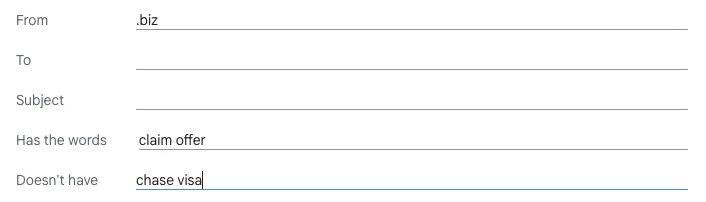
3. The filters you create. These are the rules you control. A Gmail filter has two parts: conditions (who it's from, words in the subject or body, whether it has an attachment, its size) and actions (apply a label, skip the inbox, mark as read, star, delete, forward, or "never send to spam"). You can build them from the search bar or in Settings → Filters and Blocked Addresses, and you can stack as many as you like; Google publishes no hard limit, and heavy users report running well into the hundreds before anything gives.
Building one looks simple enough. You fill in a form, or type the same thing into the search bar:

The built-in tools worth using first
Before reaching for anything else, get full value out of what Gmail already gives you:
- Report spam, don't just delete. Deleting a junk message teaches the classifier nothing; reporting it adds a signal Google can act on. Be realistic, though: reporting is a vote, not a kill switch, and against a sender who rotates addresses it often won't visibly stop the flow. For a sender you never want to hear from again, use Block, which sends their mail straight to Spam. And when a message is trying to steal credentials or impersonate someone (not just sell you something), reach for Report phishing instead of Report spam: it triggers a stronger security review and can attach a warning banner for everyone else who got the same mail.
- Use Manage subscriptions, and unsubscribe from the header, not the footer. Gmail's newer Manage subscriptions view lists the senders mailing you most often and lets you unsubscribe from one place. When you clear a single sender, prefer the Unsubscribe link Gmail puts next to their name over the one in the email body: the top one runs through the standard List-Unsubscribe header and only shows up for senders who properly authenticate, so it's both more reliable and safer than a footer link that might just be confirming your address is live.
- Write a few high-impact filters. The most effective one for most inboxes catches newsletters and routes them out of the way:
- Condition:
unsubscribein "Has the words" (almost every bulk mailing carries an unsubscribe link) - Action: Skip the Inbox, Apply label "Newsletters," Mark as read
- One caveat: plenty of transactional mail (receipts, order confirmations, password resets) now carries an unsubscribe footer too, so if it starts marking things you want as read, narrow it with an exclusion like
-from:(receipts OR no-reply OR notifications).
- Condition:
- Filter a whole domain at once. Put
domain.comin the From field to catch every sender from one company. Add-vip@domain.comin the same field to spare one address within it. - Protect mail you can't afford to lose. A filter on a key sender with Star it and Never send it to Spam keeps important people out of the classifier's blast radius.
💡 Tip: If you only ever write one filter, make it that newsletter catch-all. For most inboxes it clears more clutter than every block rule combined.
If your inbox is reasonably predictable, these will carry you a long way. The trouble starts when it isn't.
Where Gmail filters hit a wall
Filters are powerful for mail you can describe in advance. Unfortunately, most inbox noise can't be described in advance, and that is where the model breaks down:
- They're literal, not contextual. A filter matches keywords and addresses. It can't tell that a message from a sender who usually mails newsletters is, this one time, an urgent note you need, or that a stranger's "quick question" is a sales pitch in disguise. Filters apply rules; they don't reason.
- They only act on new mail. A filter does nothing about the thousands of messages already sitting in your inbox unless you explicitly re-run it.
- Spammers move; your rules don't. Block a sender or domain and the next batch usually arrives from a fresh one. Someone in
/r/GMailtried to filter a flood of fake "application received" mail and watched it keep coming from new domains; a poster in/r/sysadmindescribes attackers who just spin up a new free address every time one is blocked. Even marking the same junk as spam for days running often doesn't stop it arriving the next morning. You're maintaining rules against an opponent who changes addresses for a living. - The logic is rigid, and the upkeep never ends. The filter form ANDs your conditions together with no OR button, so expressing "(from A about X) OR (from B about Y)" means abandoning the form and hand-writing Gmail's search syntax: the
ORand{ }operators it never surfaces and almost nobody discovers. Most people never find them and just clone filters until the list is unmanageable. It's a long-standing frustration that taming a messy inbox seems to require building and babysitting a separate rule for practically every sender. - Body matching is unreliable. The "Has the words" field searches visible text rather than the underlying HTML, so exact-phrase rules miss as often as they hit.
- The classifier can overrule you. Even "Never send to Spam" isn't a guarantee; Gmail's spam engine sometimes intercepts a message before your filter ever sees it.
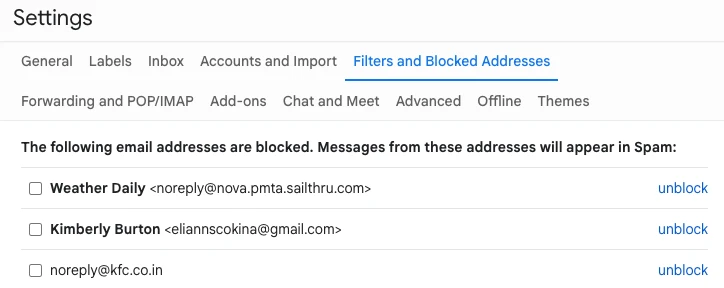
And the management surface works against you. Your rules and the senders you've blocked sit four clicks deep, in Settings → Filters and Blocked Addresses, where a heavy user finds dozens of filters and hundreds of one-off blocks, each added by hand, none of them grouped.
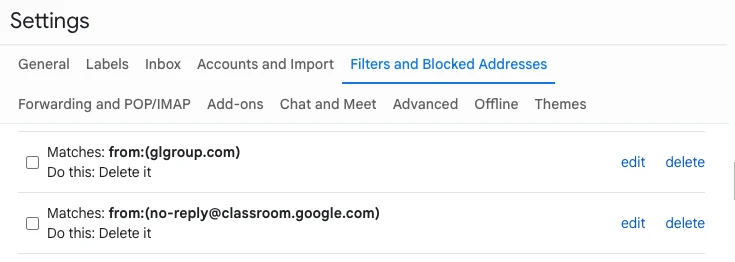
Blocking is strictly one address at a time, too. There's no button to block a whole domain: stopping one persistent company means writing a filter for it, then maintaining that filter forever.
None of this means filters are useless. It means they're a manual tool for a static problem, and the worst inbox problems aren't static. Two are worth looking at closely, because Gmail filters are close to helpless against both.
Two problems Gmail filters can't solve
Two inbox problems defeat rules completely, and each deserves its own treatment. Both come down to the same gap: a rule can match a keyword or an address, but it can't weigh what a message is or who it is really for.
Mail meant for someone else. If you own a short, common Gmail address, you field a steady stream of order confirmations, password resets, and signups that belong to a stranger who fumbled their own address. It's all legitimate mail, just not yours, and it arrives from a constantly shifting set of senders, so there's nothing for a filter to grab onto. How to stop getting emails meant for someone else →
Too many cold sales pitches. If your address attracts heavy cold outreach, whether you're a founder buried in vendor pitches or an investor sifting cold decks, a blunt filter is dangerous: nuke cold mail wholesale and you eventually bury the one message worth more than the other thousand. What to do when Gmail is full of sales pitches →
What a smarter approach looks like
Both problems come down to the same missing capability. A rule can match a keyword or an address; it can't read a message, work out what it is and who it's really for, and act on that. A newer category of tools is built around that gap: autonomous, context-aware filtering that sits on top of the Gmail you already use instead of more rules to maintain.
This is the problem Kelp was built for. Rather than matching keywords, it reads each piece of cold inbound the way a person would and decides what belongs in front of you. Two design choices matter for the cases above:
- It never touches mail from people you know. Your contacts and anyone you correspond with reach you untouched; Kelp doesn't even read their messages. The only mail it judges is cold inbound from strangers, so the worst failure mode, hiding someone who matters, is ruled out by design rather than left to luck.
- Nothing it does is permanent. Its strongest action moves a message to Spam or Trash, where it stays recoverable; it never issues a permanent delete. Every action is shown on a dashboard and reversible in a click, and before a new filter ever goes live it's backtested against your recent mail to show what it would have caught, and to confirm it would have left the rest alone.
For the common-address deluge, that contextual read is what lets it set aside mail that's legitimate but plainly not meant for you. For high cold-inbound professionals, it's what preserves the valuable stranger while quieting the rest, which is the difference between a calmer inbox and a missed opportunity. It connects through Google's standard sign-in, works alongside clients like Superhuman, and was independently security-assessed before Google granted it access to Gmail. It doesn't store your messages, copy your contacts, or train any AI model on your mail.
Of course, it isn't a cure-all. It focuses on the new cold mail arriving each week rather than cleaning out an existing backlog, and it covers Gmail and Google Workspace rather than every provider. But for the two problems rules can't solve, reading the message is what the rules could never do.
Frequently asked questions
Why am I suddenly getting so much spam in Gmail?
Most often your address has been freshly harvested or leaked in a breach, a common trigger behind a sustained wave of junk. It can also be a shift in how Gmail's classifier weighs senders, which can push more mail into your inbox overnight without anything on your end changing. Plenty of people in /r/GMail report daily spam from strangers after years of a quiet inbox. Reporting spam (not just deleting it) and blocking persistent senders helps in aggregate, but none of these levers do much against a sender who keeps switching addresses, or against cold mail that isn't technically spam at all. Going forward, the most durable fix is to stop handing out your real address for signups at all: a masking service like Apple Hide My Email, DuckDuckGo Email Protection, or Firefox Relay gives each site a throwaway alias that forwards to you, so when one inevitably leaks, you delete that single alias and the flow stops at the source, something you can never do with your primary address.
Can Gmail filter spam automatically without me building rules?
Its built-in spam classifier runs automatically, but you can't tune it, and it has no concept of which cold mail is valuable to you. Manual filters fill some gaps but require constant upkeep. Tools like Kelp add the missing layer: automatic, context-aware judgment on cold inbound, with no rules to maintain. If you'd rather point an AI assistant at the problem, here's what ChatGPT's and Claude's Gmail connectors can and can't do.
Why does Gmail send my important mail to Spam?
The spam classifier weighs sender reputation and authentication, and it sometimes gets a legitimate sender wrong, especially after Gmail tightened sender-authentication enforcement in late 2025. A filter on that sender with "Never send it to Spam" reduces it, though even that isn't a perfect guarantee.
Tired of guarding your own inbox? See how Kelp works, or start a free 14-day trial. Your contacts always reach you, and nothing Kelp does can't be undone.