Guide
How to Stop Getting Emails Meant for Someone Else
 JG
JG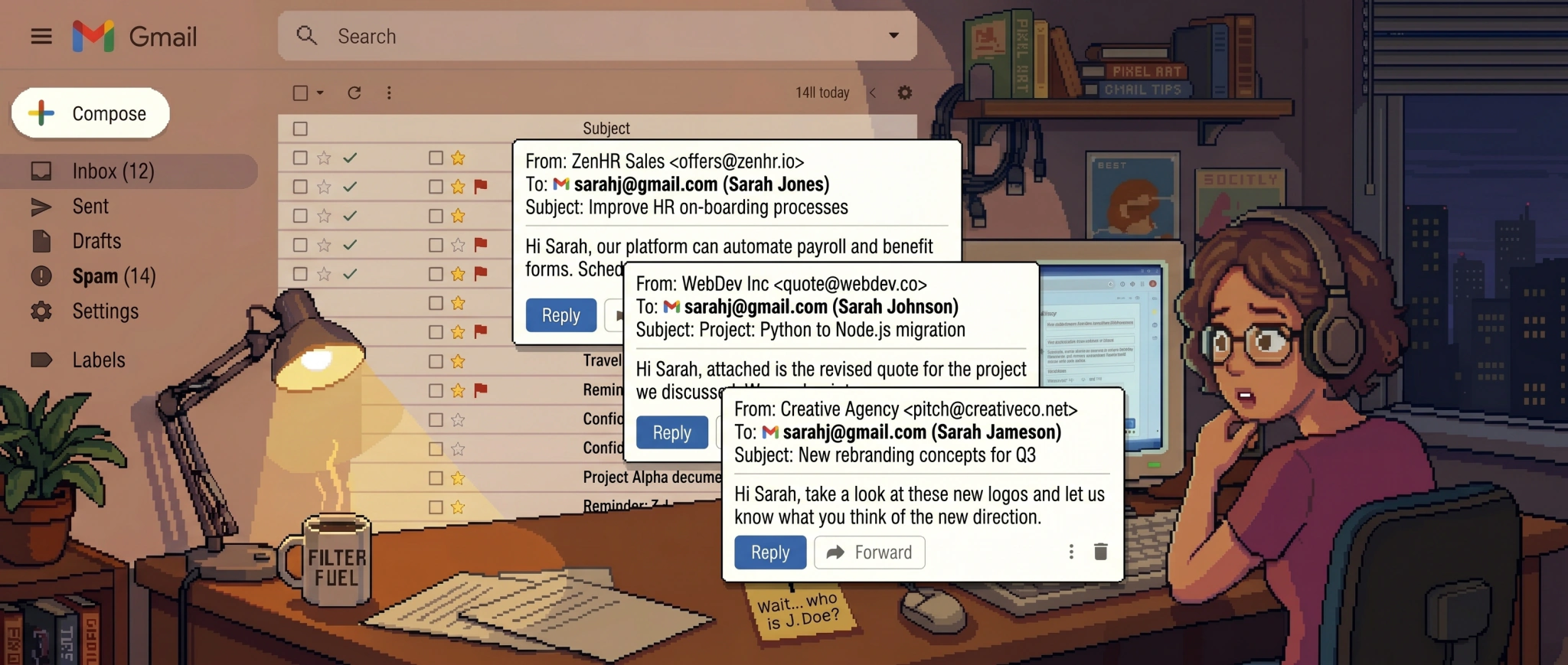
Order confirmations for things you never bought. Boarding passes for flights you're not taking. A school's parent newsletter, a gym membership receipt, a password reset for an account that isn't yours. If your Gmail address is short and common, you've seen all of it, and the giveaway is usually right there in the greeting: "Hi Sarah," when you are not Sarah.
None of it is spam. It's a real receipt a company sent to a real customer, just delivered to your inbox instead of theirs. It's one of the most common Gmail headaches, and one the built-in tools handle badly.
Why you get other people's mail
You own a clean, guessable version of a common name, something like firstname.lastname@gmail.com or firstinitiallastname@gmail.com, with no numbers and no extra words. That makes you the default destination whenever someone in the world reaches for an address like yours and gets it slightly wrong.
It happens a few ways:
- They fumbled their own address. The real owner has a number or middle name in theirs (
john.43.smith@,johnpsmith@), forgets it under time pressure at a checkout, and types the simplest version, which is yours. - They honestly don't know their address, so they hand out a plausible-looking one, and the plausible one is yours.
- They gave out a fake on purpose. To dodge a marketing list or a form they didn't trust, someone typed a throwaway address that looked real instead of their own, and the one they invented was yours.
- It got recorded wrong. They read their address out loud to a clerk or a friend, and it landed as yours: a dropped digit, a misheard letter, a "no dot" that should have had one.
- A typo on a signup form, never corrected, that now mails you forever.
One thing to rule out first: dots are not the cause. Google treats johnsmith@gmail.com and john.smith@gmail.com as the exact same mailbox. Nobody registered a "dotted version" of you, and dots change nothing about delivery. Google itself admits it can't prevent people from using a dotted version of your address to sign up for things, and it has even less say over the near-miss addresses that aren't dots at all, the dropped digit or missing middle name that happens to land on you. As far as the sending company is concerned, the address is valid and confirmed, because a human typed it in and the mail didn't bounce.
One /r/mildlyinfuriating thread, titled Gmail hell, captures the whole pattern. A man in Australia who shares the poster's name (different middle name) is convinced his address is the no-dot firstnamelastname@gmail.com, which is the exact mailbox Google routes to the poster's dotted firstname.lastname@gmail.com. For years they've received his paystubs, his EMT work requests, even his dating-app matches (you end up knowing an uncomfortable amount about a stranger this way), with no way to forward any of it on and no help from Google. The dozens of replies telling the same story are the point: this is common, and it doesn't stop on its own.
When a stranger signs up in your name
A misdirected receipt is just annoying. A stranger opening an account on your address is a security problem, and it happens more than people expect. One /r/paypal poster discovered a stranger had been running a PayPal account on their Gmail for ages without knowing. Once that happens, you start getting the service's mail, password resets and verification links included.
📌 Note: A stream of reset links is a signal worth acting on, but the right moves are the opposite of logging in. Don't use the reset link to get into an account you didn't open: it may belong to a real person, and accessing it can cross a legal line. Instead: if the mail is a fresh signup, don't click the verification link, since an unconfirmed account usually never activates and gets purged on its own. Many welcome and confirmation emails also carry a "this wasn't me" or "I didn't sign up for this" link that detaches your address with no login. Use it whenever it's there. And if a company has tied your address to an account, a formal deletion request (a GDPR "right to erasure" or CCPA "right to delete") obligates them to act, which beats asking support for a favor.
The bigger danger points back at you: if you ever reused this Gmail address's password somewhere else, a stranger who gets your mail by mistake could try the same reset trick on you. So do the dull but worthwhile thing, especially for a common, heavily leaked address: turn on two-factor authentication and give the Gmail account itself a unique password.
What you can actually do
Unfortunately, there's no switch that ends this, but a few moves help:
- Reply once to a real human. For mail from an actual person who has the wrong address (a misdirected personal email, a small business), a one-line "you've got the wrong address" often stops it at the source.
- Unsubscribe from the automated stuff, but only when the sender is reputable, and use the right link. Prefer the Unsubscribe option Gmail shows next to the sender's name over the one buried in the message body: the top one runs through Gmail's standard header mechanism and only appears for senders who properly authenticate, so it removes you cleanly without the risk that a footer link is really just confirming your address is live. (For anything that looks like outright spam, don't unsubscribe at all; there the click itself confirms a live address.)
- Detach your address from signups, without logging in. For an account opened in your name, click the "this wasn't me" / "I didn't sign up" link if the email has one, or never click the verification link so the account lapses. Don't log into an account that isn't yours; if it persists, a formal deletion request (GDPR/CCPA) obligates the company to remove you.
- Don't report it as spam, however tempting.
💡 Tip: Reporting misdirected mail as spam teaches Gmail's classifier that receipts, confirmations, and alerts from that sender are junk, which can start hiding the same kinds of mail you do want. The message isn't spam. It's legitimate, it's just not addressed to you, and that distinction is the one a spam button can't make.
Why Gmail's filters can't fix this
This is the case Gmail filters were never built to win, because so little of it is stable enough to match on.
A filter needs a sender, a domain, or a keyword. Rules can mop up the repeating slice: when the same wrong-person mail keeps arriving from one source (a stranger's gym, their kid's school, one airline), a per-sender filter that archives it works fine, and you can even archive on a wrong-name greeting like "Hi Sarah." But that's the easy minority. Most misdirected mail is legitimate mail from a constantly shifting set of real companies, with no bad sender to block and senders that change every week, and a greeting rule misfires the moment you actually know a Sarah. Build a filter aggressive enough to catch the long tail and you'll start eating your own receipts. (For the broader picture of where Gmail's rules and spam filter run out of road, see why Gmail's spam filter can't keep your inbox clean.)
Reporting it as spam backfires, as above. Blocking senders one at a time is whack-a-mole. No rule, however tight, can tell your mail from the other Sarah's. That takes reading the message and seeing that, however legitimate it is, it's addressed to someone else.
A filter that knows the mail isn't yours
That's what context-aware filtering does. Rather than matching keywords, it reads the message itself, and "this is a real order confirmation for a different person who happens to share your first name" is a call it can make and a rule can't.
This is one of the cases Kelp was built for, common enough that it ships a ready-made filter for it. Kelp reads each piece of cold inbound, notices when a message is plainly meant for someone else, and sets it aside, while every receipt and alert that is yours comes through untouched. Mail from people you know is never affected; Kelp only ever looks at cold inbound from strangers, and nothing it does is permanent, so a wrong guess is one click to undo. It connects through Google's standard sign-in and was independently security-assessed before Google granted it access to Gmail.
It won't reach into the accounts strangers have opened in your name (that part is still on you), but for the steady drip of mail that was never yours, reading each message is what reliably sorts yours from not-yours.
Frequently asked questions
Why do I keep getting emails meant for someone else?
Because you own a common, simple Gmail address, and people who meant to reach a similar address with a number or middle name keep landing on yours. It isn't a dots problem and it isn't a security breach, and Google admits it can't fully prevent it. Reply once to let a real sender know they have the wrong address, unsubscribe from legitimate automated lists, and for the recurring stream, a filter that reads context is what reliably sets the not-for-you mail aside.
Do dots in a Gmail address matter?
No. Gmail ignores dots entirely: j.o.h.n.smith@gmail.com and johnsmith@gmail.com are the same account. Dots have no effect on delivery, and they are not why you get other people's mail.
Someone signed up for an account with my email. Is that dangerous?
It can be. You'll start getting that service's mail, including password resets, which means the account is loosely attached to you. Don't log into it: even with the reset link, it isn't yours to access. Instead, use the "this wasn't me" link many signup emails include, leave the verification link unclicked so the account never activates, or send a formal deletion request (GDPR/CCPA) the company has to honor. Separately, make sure your own Gmail account has a unique password and two-factor authentication on.
Should I report misdirected mail as spam?
No. It's legitimate mail, just not for you, and reporting it trains Gmail to junk similar messages you want. Unsubscribe (from reputable senders), reply to real people, or filter on context instead.
Tired of sorting mail that was never yours? See how Kelp works, or start a free 14-day trial. The people you know always reach you, and nothing Kelp does can't be undone.