Guide
ChatGPT vs. Claude for Gmail: Which AI Connector Manages Your Inbox Better?
 JG
JG
More and more of the workday now runs through an agent. You hand ChatGPT or Claude a task, it reads what it needs, drafts or fetches or summarizes, and hands the result back. So pointing one at your inbox is the obvious next move: that's where the context lives, where the obligations pile up, and where most of us long ago gave up on staying ahead. Both OpenAI and Anthropic shipped Gmail connectors in 2026 to do just that, and a cottage industry of MCP servers extends them further.
First, the part the marketing leaves out: these connectors are good at some inbox jobs and close to useless at others. This guide walks through how to set up each one, what each is good for, how to push them further with Codex and MCP, and the specific places they break, one of them serious enough to put your whole Google account at risk. At the end I'll lay out where Kelp fits, and where it doesn't.
The two connectors, side by side
Start with what you get out of the box, with nothing but a Google sign-in.
ChatGPT's Gmail connector reads and acts. On a paid plan (Plus, Pro, Team, or Enterprise; the free tier doesn't surface it), ChatGPT can search and read your mail, pull text out of attachments like PDFs and spreadsheets, draft replies, forward, archive, move messages to Trash, and create and apply labels, including bulk-labeling every message that matches a Gmail search. Sending is the newest piece, added to the web app in 2026. The connector's own marketing is all about reading ("review your conversations, prepare replies"), which undersells it: this is a hand that rearranges the inbox, not just a research assistant pointed at it. It does stop short in a few places. It can't permanently delete, change Gmail settings, or create the kind of standing filter rule that keeps acting on tomorrow's mail, and it only takes a write action when you ask for one. It works in regular chat, in agent mode, in deep research, and on a schedule through Tasks. One catch worth knowing: as of this writing the Google connectors aren't offered in the EU, the EEA, Switzerland, or the UK, for data-processing reasons.
Claude's Gmail connector reads, drafts, and organizes. It does everything ChatGPT's does, and then some. It writes drafts in your voice, replies included, straight into your Gmail drafts, and it files mail by adding and removing labels, which is enough to sort and archive. Two things it won't do: send (the finished draft is yours to send by hand) and handle attachments (it can't add a file to a draft, or open one on a message it's reading). Every action waits for your explicit approval. It's available across Free, Pro, Max, Team, and Enterprise, and works in Claude.ai, the desktop app, and Claude Code.
So the first-pass answer to "which is better" caught me off guard. For reading and summarizing they're a wash. For taking action, ChatGPT on a paid plan is the more capable of the two: it will send, forward, archive, trash, and bulk-label, where Claude files and drafts but won't send. Claude has two narrower edges: its connector runs on the free tier, where ChatGPT's needs a paid plan, and it stops at drafts, so nothing ever leaves your outbox without you. Neither, though, will keep your inbox clean on its own, and the reasons are worth seeing up close.
Setting up ChatGPT's Gmail connector
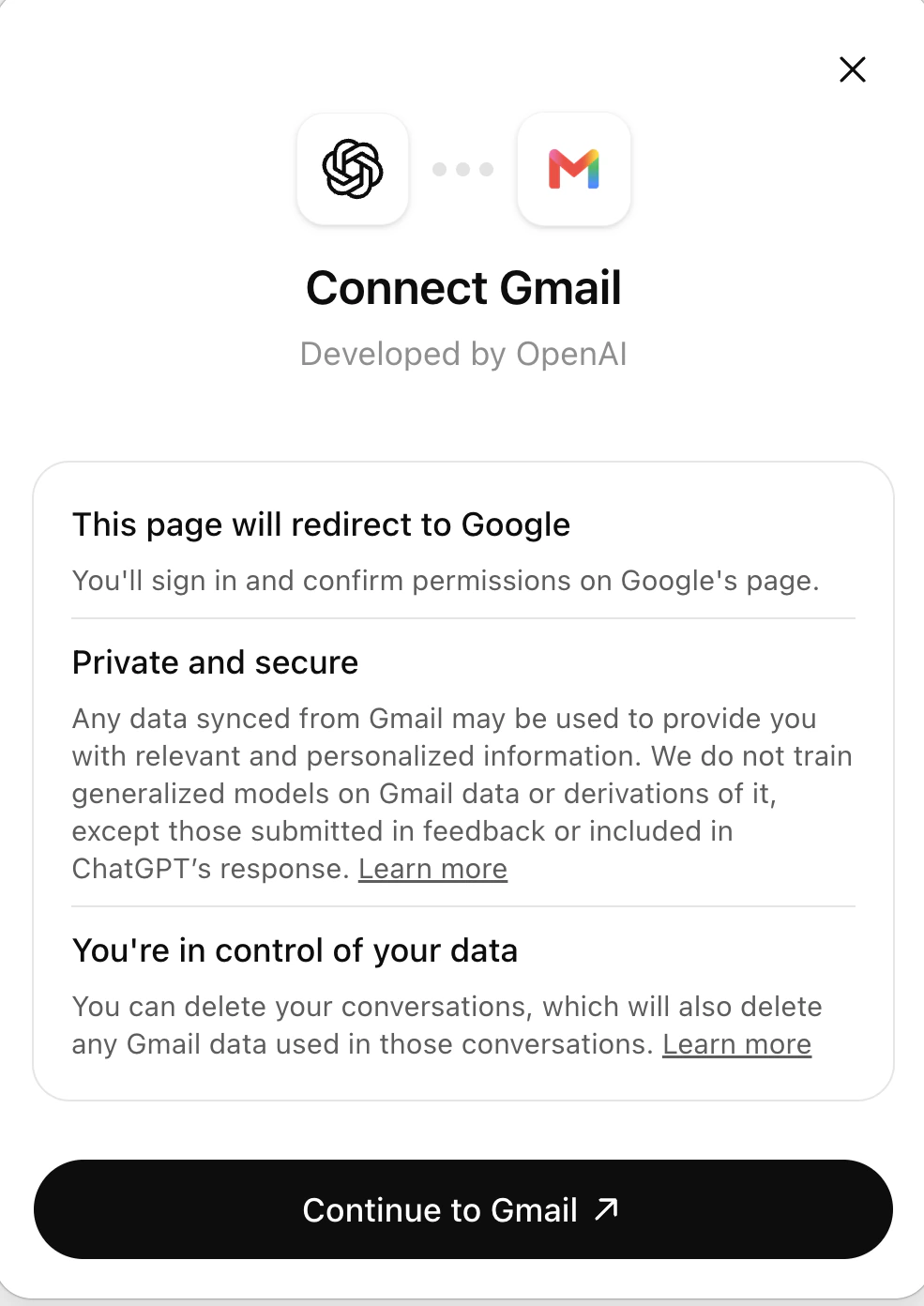
It takes about a minute. In ChatGPT, open Settings, find Connectors (it may read Connected apps depending on your plan), pick Gmail from the Google list, sign in, and approve the access (read, compose, and send). From then on you invoke it in plain language, with no special syntax:
- "Summarize the thread with the building manager and tell me what I committed to."
- "Find the latest invoice from our hosting provider and pull out the amount and the due date."
- "What did I tell the recruiter about start dates?"
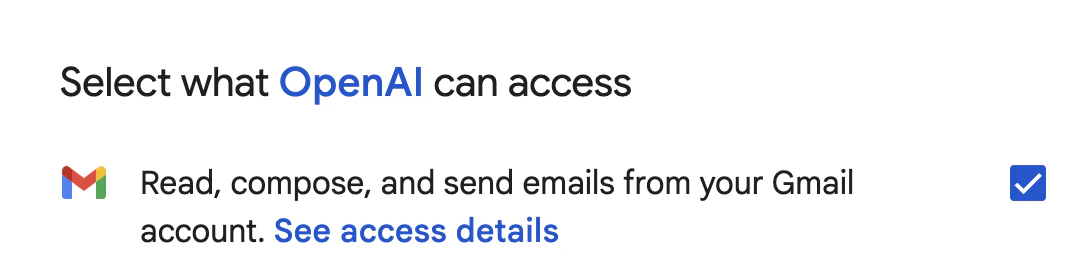
Two things to know. First, it does more than read: tell it to "archive everything from that sender" or "label every receipt from last month" and it will, bulk-labeling a whole Gmail search in one go. Give broad write commands the same care you'd give a one-time cleanup, because it acts on the query as you write it. Second, it reads on demand rather than holding a live model of your mailbox, so it's sharpest pointed at one thread or sender ("what's the status of the Acme renewal") rather than "what's important today." A Scheduled Task ("every weekday at 7 a.m., summarize anything from my top three customers") makes a fair morning briefing, though a task that takes write actions unattended is the riskier setup I get to later.
Set your expectations on reliability, too. The connection can be finicky: a poster in /r/OpenAI couldn't get ChatGPT to see their mail at all, reconnecting again and again to the same "I can't see your Gmail." A commenter who did get it working said it only helped build filter rules and "made me do all the work," then later found it insisting it had no access ("maybe more guardrails?"). The capability works. Getting connected to it is the flaky part.
Setting up Claude's Gmail connector
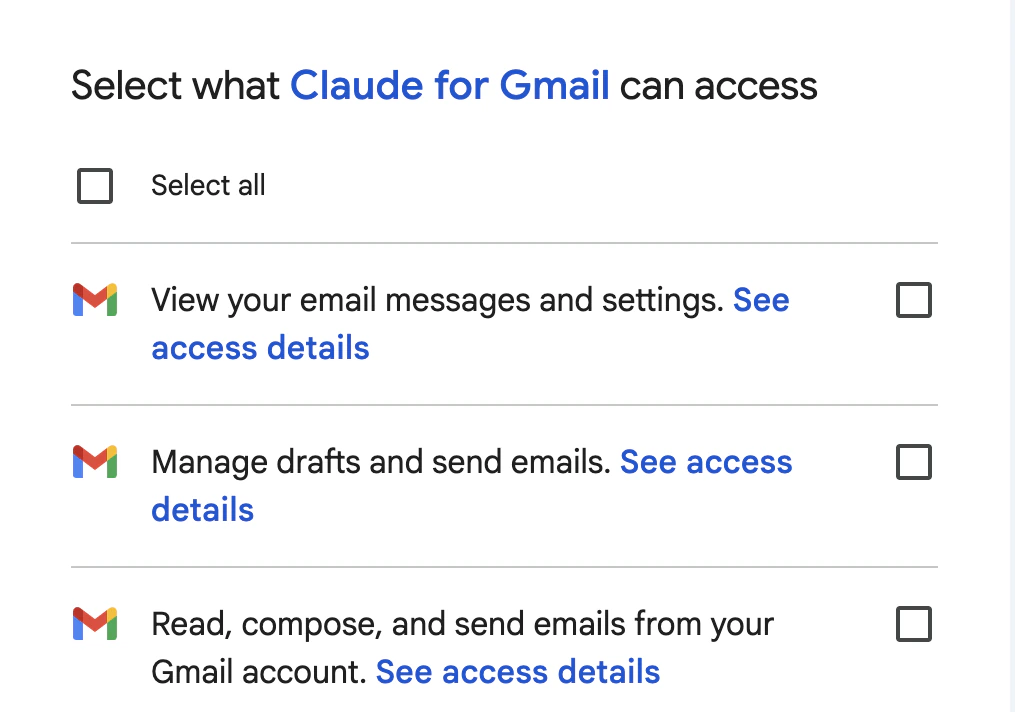
Also about a minute, with one wrinkle: on Team and Enterprise an owner has to enable the connector for the whole organization first. As an individual, open a chat, click the plus, hover over Connectors, toggle Gmail on, and authenticate with Google. During that Google consent screen, look closely at what it asks for: to view your mail, to manage drafts and send, and the broad "read, compose, and send" permission that also covers labeling, archiving, and everything short of a permanent delete. That is a wide grant. Anthropic disables sending inside the connector itself, though, so in practice Claude reads, drafts, and files mail with labels, but won't send on its own, and each action still asks you first. You hand over the right to send and to rewrite your whole mailbox; the connector chooses to use less.
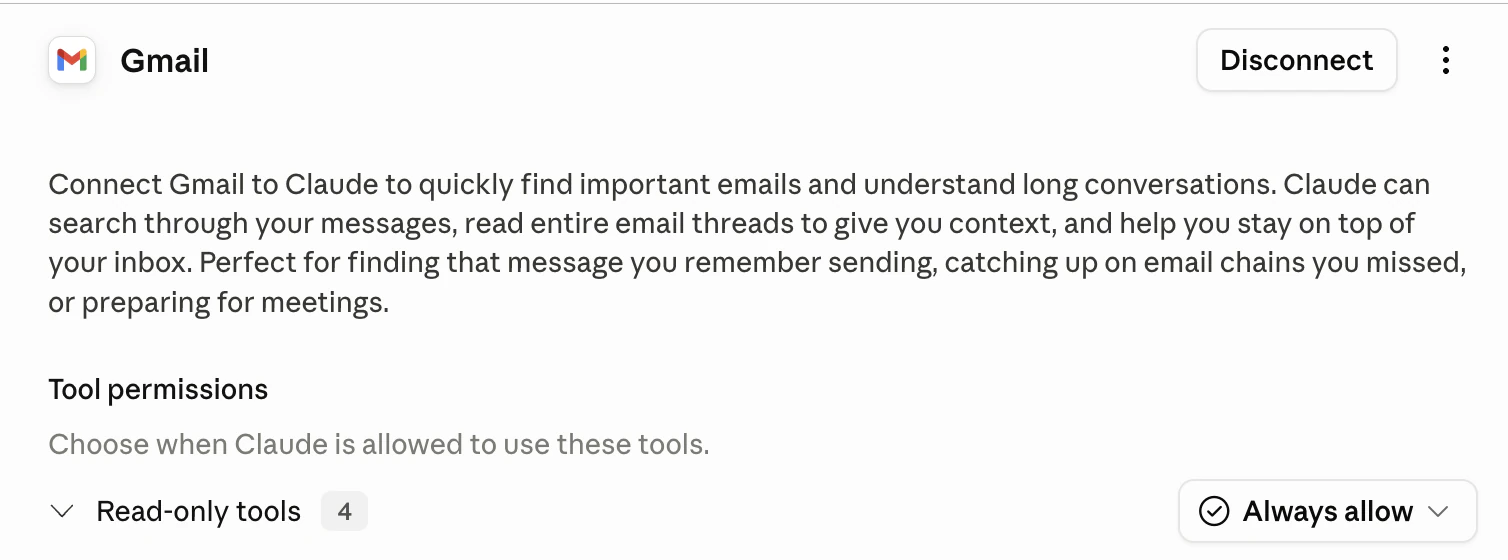
You can see that restraint in the tool list itself. People keep asking when sending will arrive; the connector's own tools, posted in that /r/ClaudeAI thread, run from searching and reading to creating a draft and a label, with no send anywhere on them.
Where Claude earns its keep is the drafting. A reviewer at XDA gave it his inbox and had it find a buried complaint and draft a firm follow-up that cited consumer-protection law, then surface old rewards-program terms and an invoice he'd lost track of. The pattern that works: "draft a reply to this, and match the tone of my last three emails to them," then review and send by hand. You stay the sender; Claude does the typing.
One limit to plan around: the native connector binds to a single Google account at a time. If you run personal and work mail side by side (most of us do), only one is reachable at once, and switching means disconnecting and reconnecting. That isn't always the clean thirty-second job it sounds like, either: a poster in /r/ClaudeAI who removed one account to add another got "a server with this URL already exists" and "Failed to add connector" instead. Multi-account support is one of the most-requested fixes on Anthropic's tracker, and not yet shipped.
Going further: Codex and MCP
ChatGPT's connector already sends and bulk-labels, and Claude's files and drafts, so for plenty of people the built-ins are enough. The reason to wire up more is scale and automation: the chat connectors are hand-driven and capped, with no raw Gmail API, no attachments on new mail, and no scripted runs over thousands of messages. For that you step up to a coding harness, OpenAI's Codex or Claude Code, with a Gmail MCP server (Composio, Smithery, and Google's own Workspace MCP all offer one) that carries the full read-write scope and can be scripted and put on a schedule. It's more powerful, and, as the next section gets to, more dangerous.
People do this, and it works. One developer pointed Codex and the Gmail connector at a personal inbox he had given up on and watched it move and label thousands of messages in a single first pass. His own one-line verdict is the honest part, though. He couldn't tell if it had been useful, "but at least it did something that I hadn't got to in the last year or more." OpenAI's own guide to managing your inbox with Codex lands in the same spot, advising you keep it to reviewable drafts and warning that "destructive cleanup should stay deliberate." It's a powerful one-time sweep that you drive and supervise, not a system that runs your inbox.
Where it breaks
Set against that power are some sharp edges, and under a founder's byline I'd rather you hear them from me than find them in your own mail.
It regresses under you. These connectors are young and they change without notice. In one upgrade, Claude's Gmail tooling lost the threadId parameter on create_draft, so replies stopped threading and started landing as fresh, standalone emails (the recipient sees a brand-new message instead of an answer in the conversation). The bug reports piled up on Anthropic's tracker; one user put the experience less politely:
Labeling tells the same story from the other side. The tools to add and remove labels shipped before the gmail.modify permission they need was in the OAuth grant, so for a stretch they just returned permission errors, and when Anthropic did request the scope, Google blocked the app as a restricted one when users tried to reconnect, with one of the scope bugs still open. It works today, and Claude can file and archive by moving labels around. It didn't for months, though, and the next change could take it away again.
Everyday gaps. Two limits are built in rather than passing. The connector won't send, so the final click on any reply is yours. And it can't deal with attachments at all: it won't add a file to a draft, and on a message it's reading it can tell you a PDF is attached but not open it (where ChatGPT will at least read text out of one). Document-heavy work with Claude falls back to saving files yourself.
And the one that can cost you everything: Google may read your agent as a bot. The risk here isn't spread evenly, so it's worth being precise about who trips it. Google's abuse systems flag the fingerprints of programmatic automation: app-password access instead of OAuth, fresh or burner accounts, scheduled agents looping over the API, send volume that spikes or fires in the middle of the night, login patterns that don't look human. Hit enough of those and Google can lock not just Gmail but the whole account, Drive, Calendar, Photos, all of it, with appeals that often go nowhere.
The interactive case is the opposite of that. An established personal account, signed in through the official OAuth connector and used at human pace to read and organize, is the access path Google sanctions, not the one it hunts; an occasional send or archive you asked for is nothing like the burst volume and round-the-clock polling that detection keys on. So when a developer reports losing his Gmail after wiring an agent to a Gmail MCP server, it's a warning worth heeding, but read the fine print: Google's stated reason was a suspicion that the account had been created by a bot, an origin heuristic that predates AI agents by years, and the loudest voices generalizing from cases like it are the companies selling agent-email infrastructure as the fix. The phenomenon happens, and the blast radius is your whole Google identity, but the exposure lives almost entirely on the unattended, scripted side. That's reason enough to point a do-it-yourself MCP server at a spare account, and reason not to lose sleep over reading your mail through the official connector.
What none of them do
Step back and the four options (ChatGPT, Claude, Codex, and a hand-rolled MCP) share one shape. They pull; they don't push. You ask, or you schedule a poll, and the agent goes and looks. None of them sits in the path of your incoming mail and decides, message by message as it lands, what belongs in front of you. Even ChatGPT, the one that will happily archive and bulk-label on command, draws the line in its own words: it can't create a standing Gmail filter rule, and it doesn't watch your inbox unless you build a scheduled task to make it look. So the best case is the sweep above: a clean backlog today, and tomorrow morning's spam in the inbox right next to the mail that matters, waiting for you to run the agent again.
And the closer you try to get to "as it arrives," the worse the tradeoff gets. The interactive connector is conversation-only: nothing fires when a message lands, so the Claude you're chatting with can't watch your inbox at all. The scheduling surfaces only poll on a clock, an hour apart at best, and even the most flexible of them, Claude Code Routines, fires on a schedule, an API call, or a GitHub event, with no trigger for a new Gmail message. So the most real-time thing you can build is a job that wakes every hour and re-reads the inbox. And that job, an unattended agent polling your primary account on a loop, is the same setup that drew both the scope-block and the bot-suspension trouble from the last section. Reaching for real-time with these tools walks you straight into the riskiest configuration they offer.
That gap, real-time judgment on new mail, is the problem Kelp was built for. It rides Gmail's official push notifications, so the moment a cold message arrives it reads the message the way a person would and decides where it goes, with no polling loop for Google to mistake for a bot. A few things follow from that design:
- Kelp runs continuously. You never ask it to tidy up. New cold mail is sorted as it arrives, every day, without you opening a chat window.
- Mail from people you know is off-limits. Your contacts, and anyone you've corresponded with, reach you untouched. Kelp doesn't even read their messages. It only judges cold inbound from strangers, so the costly mistake, hiding someone who matters, can't happen by design.
- Nothing Kelp does is permanent. Every action shows on a dashboard and reverses in a click, and a new filter is backtested against your recent mail before it goes live. Its strongest move is to Spam or Trash, both recoverable, and it never hard-deletes.
- Kelp connects the way Google wants apps to. It uses the standard Google sign-in and was independently security-assessed before Google granted it access to Gmail. It doesn't store your messages, copy your contacts, or train any model on your mail.
Kelp ships ready-made filters for the messes rules can't touch, from mail that was never yours to a flood of cold sales pitches.
Of course, it isn't a cure-all, and the same caveat from our other guides holds: Kelp focuses on the new cold mail arriving each week rather than excavating a years-deep backlog, and it covers Gmail and Google Workspace rather than every provider. For that backlog, realistically, a supervised one-time sweep (Codex, or ChatGPT's own bulk-label) is a reasonable tool. For keeping the inbox clean afterward, a poll-when-asked agent was never going to be the answer.
Using Kelp as your agent's hands
If you've read this far, you probably like working through an agent and have no wish to give that up. You don't have to. We're glad to expose Kelp itself as a tool your agent can call, so Claude or ChatGPT can manage your real-time filtering through Kelp, ask what it caught overnight, or adjust a rule, while Kelp does the continuous, reversible work underneath. If that's the setup you want, email hello@trykelp.ai and we'll help you wire it up.
Frequently asked questions
Can ChatGPT delete or archive my emails?
On a paid plan, yes. ChatGPT's Gmail connector can archive, move to Trash (not permanently delete), and add or remove labels, including bulk-labeling everything that matches a Gmail search, when you ask it to. What it won't do is create a standing rule that keeps doing it, or watch for new mail on its own. So it's a capable one-time cleanup you run and supervise. It doesn't keep filtering on its own.
Can Claude send email for me?
No, and this is the cleanest split between the two connectors: ChatGPT will send on command, Claude won't. Claude reads, drafts, and files or archives by moving labels, but sending is disabled, so the draft lands in your Gmail drafts folder and waits for you to send it. That's a feature as much as a limit. It means Claude can lighten the writing and the sorting. It can't run the back-and-forth on its own.
Is it safe to connect my main Gmail account to an AI agent?
It's a fair thing to weigh, and plenty of people say so out loud: a poster in /r/ClaudeAI raised this worry before turning on any connector, and the most-upvoted reply was the resigned one, that if you already live in Gmail, you handed Google the contents long ago. True enough. For the official ChatGPT and Claude connectors used by hand, the added risk is low; they use Google's sanctioned OAuth sign-in, run at human pace, and don't hammer the API. The riskier path is a do-it-yourself Gmail MCP server polling the API around the clock, which in rare but real cases looks enough like bot activity to get the whole Google account suspended. If you go that route, point it at a secondary account rather than the one holding your whole life.
Which is better for managing Gmail, ChatGPT or Claude?
For reading and retrieval, they're close. For taking action, ChatGPT on a paid plan is the more capable connector: it sends, forwards, archives, trashes, and bulk-labels, where Claude files and drafts but won't send. Claude's edges are the free tier (ChatGPT's connector needs a paid plan) and draft-only safety (it never sends on its own). For attachments on new mail or scripted bulk runs you're into Codex or Claude Code plus an MCP server. And for keeping the inbox clean going forward, none of them is built for it, which is the gap Kelp fills.
Want an inbox that stays clean without a chat window? See how Kelp works, or start a free 14-day trial. Your contacts always reach you, and nothing Kelp does can't be undone.